Repository navigation
Settings: choose whether the countdown shows the time left or the end time - #132
ChemaAlfonso wants to merge 2 commits into
Conversation


… time

Adds a Countdown setting. The menu bar shows either the time left, as before,
or the clock time the session ends at. The end time changes only with the
session, so nothing redraws the status item each second, and the right-click
menu gains a Time left line. A change in Settings reaches a running session at
once. The time left stays the default, and a config from an earlier build keeps
working.

Build
MacChecksAll times are UTC. "Menu bar" in docs/releasing.md, both items, plus a lid close and open and the 12/24 hour setting. One session of 30 minutes started at 10:16:32 with Countdown set to End time, lid open, on AC power, external display attached.
Raw output:
The "display 2 cannot change brightness" line is the external display. The same line is in this log from 2026-10-16, with a build from before this change. Not run
|
![greptile-apps[bot]](https://avatars.githubusercontent.com/in/867647?s=60&v=4)
A style change while a start or an extension waits on the helper left the
projected countdown in the old style, and a pending start kept its 1 Hz
tick after End time was picked. The controller now observes the style, and
a pending extension keeps a projection like a pending start, so both redraw
in the new style and the tick follows it. Two spec lines this change had
left stale are corrected, and the pending tick test ends each session it
starts.
|
Real-Mac report for
|


#132 cab1050 against main e242782: the Countdown setting, the bar with
Time left and End time in light and dark, the right-click menu, the
12/24 hour switch, an unknown value, and two GIFs (a switch during a
session and one while a start is pending).
#71 ffdb1bc and 2a45e18: the Lock the screen row and its help text.
#104 0baa658 against main: the Settings window, Default field Minutes,
the update check, and the Edit Apps and If Wi-Fi drops sheets.

Co-Authored-By: Claude Opus 5.5 <noreply@anthropic.com>

What the Countdown setting looks like: macOS 27.0.1 VM test of
|
| Light | Dark | |
|---|---|---|
| main |  |
 |
| This PR, Time left |  |
 |
| This PR, End time |  |
 |
Time left looks the same as main. With this wallpaper, macOS 27 draws the menu bar the same in light and dark. The dark menu further down shows the difference.
Settings
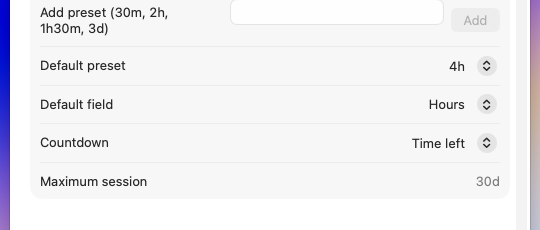
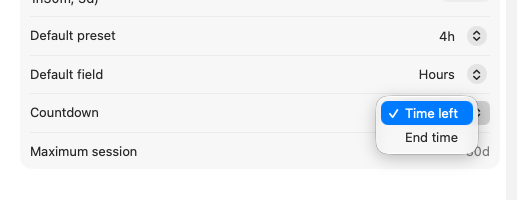
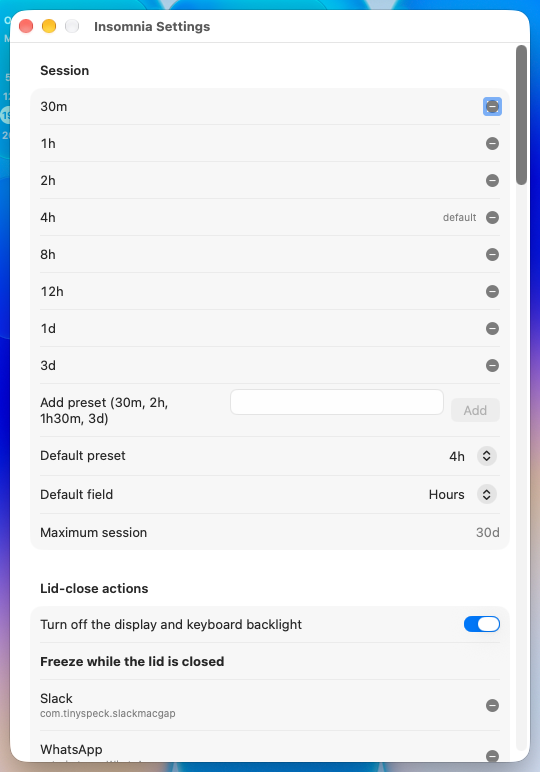
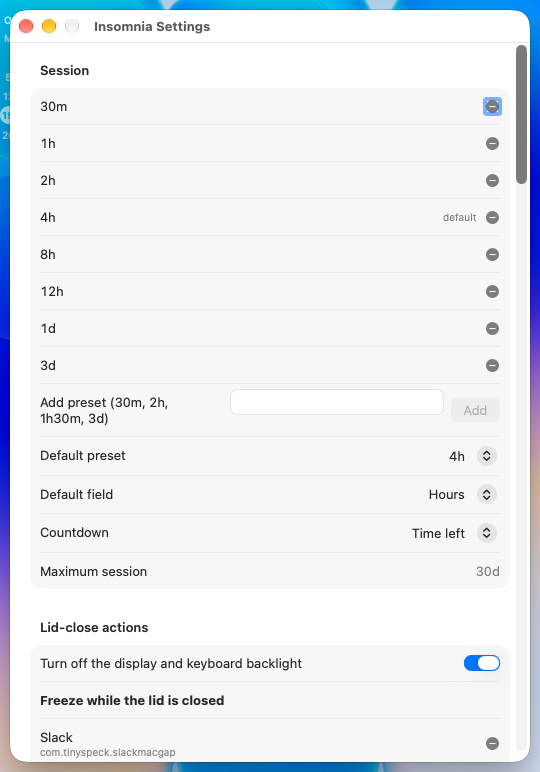
The new Countdown row sits under Default field. main has no such row (main's window, this PR's window).
Right-click menu
| main | This PR, End time | This PR, Time left |
|---|---|---|
 |
 |
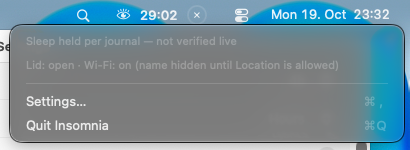 |
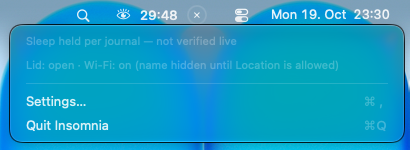
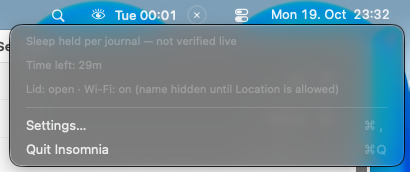
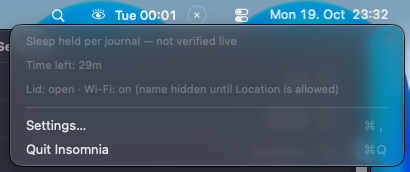
With End time, the menu gains a "Time left: 29m" line. With Time left, it matches main. Dark, with End time:
12 and 24 hour clock
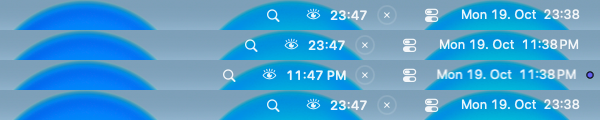
A 10 minute session with End time saved in config.json, switched in System Settings > General > Date & Time. From the top:
- 24 hour:
23:47. - 24-hour time turned off. The system clock reads 11:38PM at once, but the bar still reads
23:47. - After a right-click on the eye, the bar reads
11:47 PM. - 24-hour time back on, then a right-click:
23:47.
The PR says the bar follows a 12/24 hour change at the next right-click, and that's what happened here. A defaults write of the same setting, with no System Settings, reached neither the running app nor the system clock, so the switch went through System Settings.
Changing the style while a start is pending
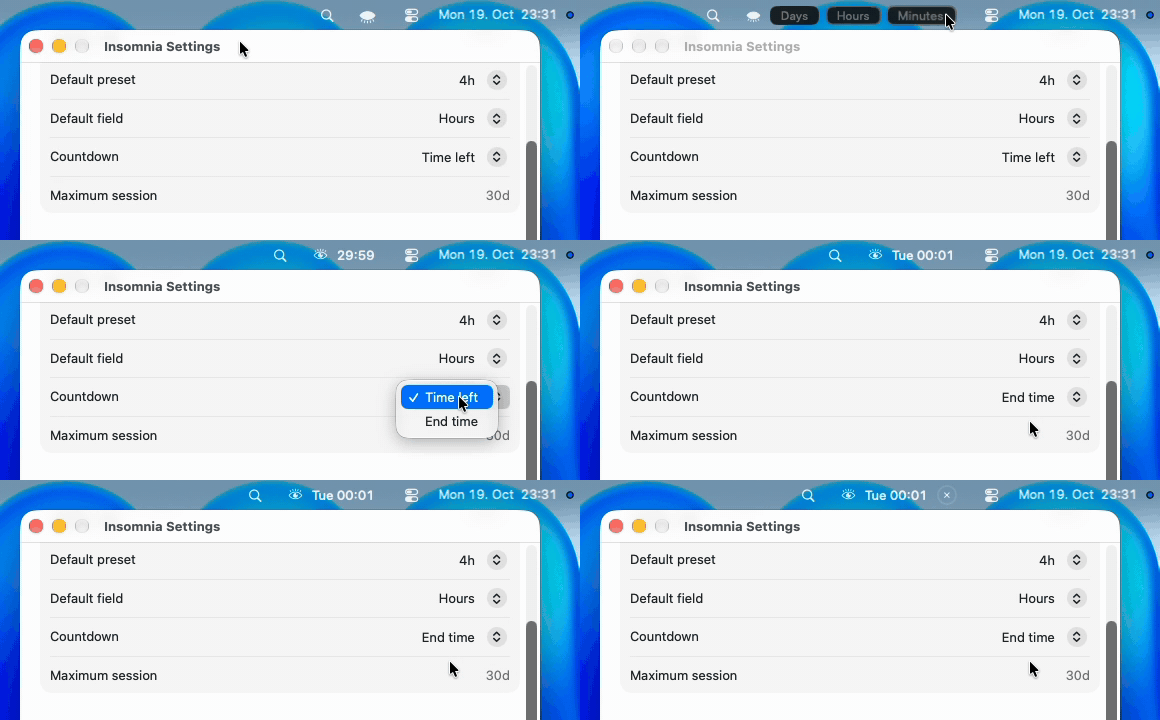
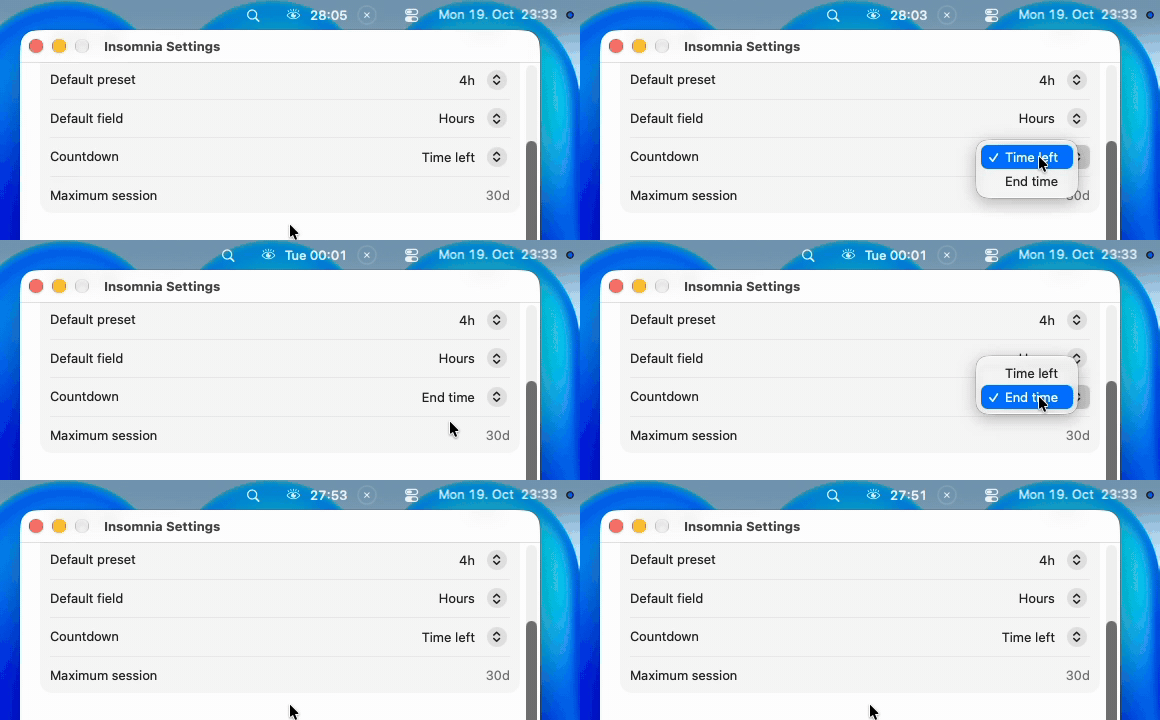
Settings was open, the pills were opened, 30 was typed into Minutes, then Enter. The projected countdown reads 30:00, then 29:59. End time was picked 1.7 s after Enter, and the bar switched to Tue 00:01 with no × yet, so the start was still pending. The start was confirmed 5 to 6 s after Enter (the log line session started until 2026-10-20T00:01:29Z is stamped 23:31:35). Then the × appeared and the text stayed the same. Still frame from 2.0 s after Enter:

config.json
| Check | Result |
|---|---|
config.json with no countdownStyle key |
Settings reads Time left, and the bar counts down |
| Picking End time, then Time left | "countdownStyle": "endTime", then "remaining", in the file at once |
"endTime" in the file at launch |
Settings reads End time, and the next session shows the end time |
"sideways" in the file, with defaultPreset 7200 and lowPowerFloor 35 |
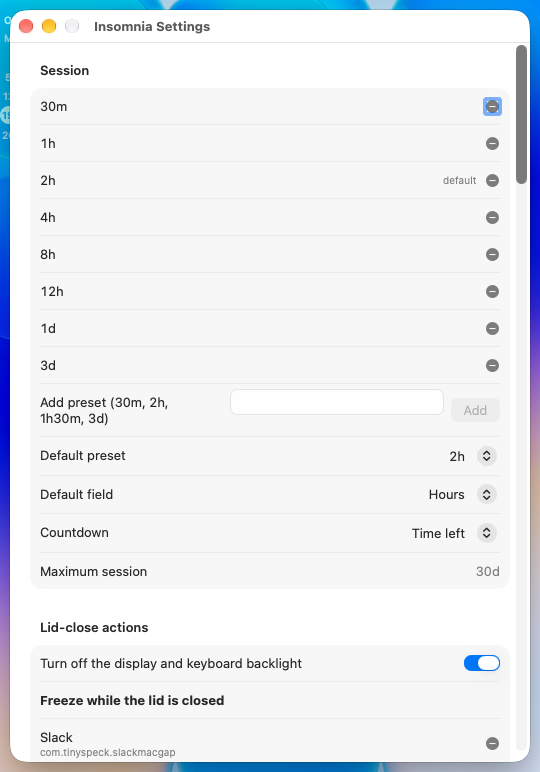
Countdown reads Time left. Default preset reads 2h, and lowPowerFloor stays 35 (Settings) |
CPU
ps %cpu every 0.5 s for 20 s, same session: Time left mean 0.4% (max 3.6%), End time mean 0.0% (max 0.2%). The difference points the same way as the contributor's real-Mac numbers.
Worth knowing
- A 30 minute session that crosses midnight shows the weekday:
Tue 00:01at 23:31 on Monday. That's what the spec says (another calendar day adds the weekday), but at a glance it can read like a day away. - A 12/24 hour change shows only at the next right-click, as the PR says, while the system clock changes at once.
Run notes: run-lab27.log. Builds: main, this PR. Installs: main, this PR. Nothing of the app was left installed in the VM afterwards.
🤖 Generated with Claude Code
|
Thank you for this. Your head commit cab1050 is merged unchanged into #145, together with five other menu bar pull requests that change the same files. When #145 merges, GitHub marks this pull request as merged too, with your commits and your authorship. Please don't push to this branch from now on. A new commit wouldn't be in #145, so this pull request would stay open instead of showing as merged. If you want to change something, comment here and I'll add it to #145. #145's description lists the conflicts resolved in its merge commits and the two maintainer fixes after them. 🤖 Generated with Claude Code |


What changes
Closes #131.
Adds a Countdown setting with two choices:
Sat 03:00), and from a week away the date. The text changes only with the session, so no timer redraws the status item.Also:
.onChangeandSessionManager.countdownStyleChanged(), as the Low Power Mode toggle does withreevaluateFloors().The end time is formatted when the session starts or changes, when the lid opens, on a right-click and when the setting changes. Nothing else redraws it, so a
Tue 02:00stays as it is past midnight (still right), and a change of time zone or of the 12/24 hour setting during a session shows at the next of those. Following such changes on their own would need observers for the system clock and locale, which the app has none of today, so I left that out to keep the change small.How it was tested
22 new tests:
swift test: 1294 tests, 0 failures, 13 skipped for want of tmux.swift build -c release -Xswiftc -warnings-as-errorsis clean.By hand on a MacBook Pro (Mac16,8, M4 Pro), macOS 27.0.1, with the steps of the new "Menu bar" item: mean
%cpuover 20 s of 1.695% with Time left and 0.0075% with End time, same session and build, only the setting changed. The real-Mac report comment has the details.Real-Mac evidence
In a comment, for the head commit.


The PR appears safe to merge; the previous pending-countdown issue is fixed.Summary
Adds a choice between time left and the session’s end time in the menu bar.
Reviews (2) · Last reviewed commit: "Menu bar: restyle a pending countdown wh..." · Reviewed by Greptile