WebApp to keep list of our meetings
-
Login/Signup – This the main screen of the system where users can login or sign using their email.
-
User Signup form – User sign up form should have the following fields. ·· Email · Password
-
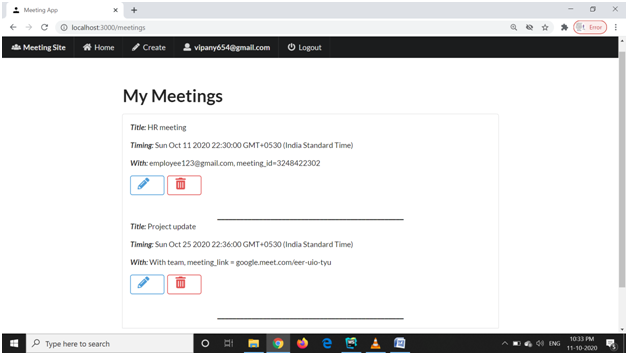
List of Meetings - After login, the 1 st page where the user lands is this page. The user can view all the meetings in this page with below properties: · Meeting Title · Meeting Date and Time · With whom are you meeting
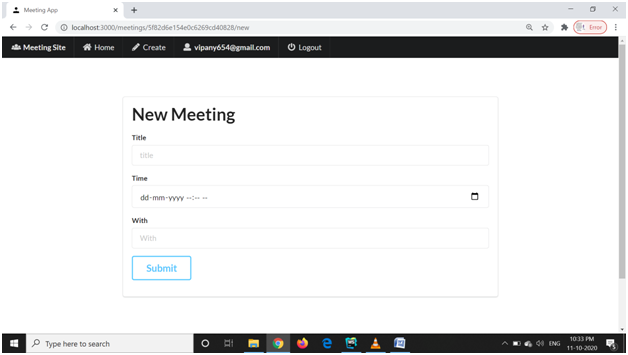
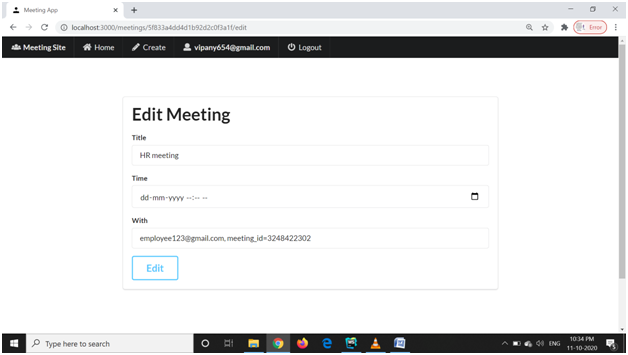
The users can do the below actions on this page: - · Edit or Deleting a meeting – The user can either modify datetime or delete a meeting from his list. · Create a new meeting - The user can also create a new meeting by clicking on add new meeting button. 4. Create Meeting Page – The create meeting form should consist of the following fields · Meeting Title · Meeting Date · Meeting Time