Repository navigation
Water layer rendered incorrectly #182
Description

There is something I don't understand. I am trying to generate a map of a large city with a big river flowing through it. I set --distance 60000. I managed to generate a file as shown in the attached screenshot (coordinates covered by city name is not important, I played with their positions):

You can clearly see the river flowing from south to north, plus surface water. But subsequent iterations do not show the entire river. That is, you can see its outline and banks, but it is not filled with color as it should be. It looks like this:

I will say right away that this happens regardless of the theme used:

Also another city has the same problem even though the distance is much smaller (--distance 30000):

In the create_map_poster.py code, I explicitly specified tags that are associated with the river and water in general. Some of them are probably unnecessary because they belong to the water class, but I included them just in case.
tags={
    "natural": ["water", "bay", "strait", "coastline", "sea", "ocean"],
    "waterway": ["riverbank", "river", "canal", "dock", "basin", "stream", "tidal_channel", "drain", "ditch", "fairway", "dam", "weir", "waterfall", "lock_gate"],
    "place": ["sea", "ocean", "bay"],
    "water": ["river", "lake", "lagoon", "pond", "reflecting_pool", "reservoir", "basin", "oxbow"],
    "water": True
}
What could be the cause? I don't want to clear the cache and reload the data every few moments so as not to overload the Overpass API server.
Activity
PasikVN commentedon Feb 13, 2026
On my side it generates all the tie the same (tried around 10 times on WAW)
PasikVN commentedon Feb 13, 2026
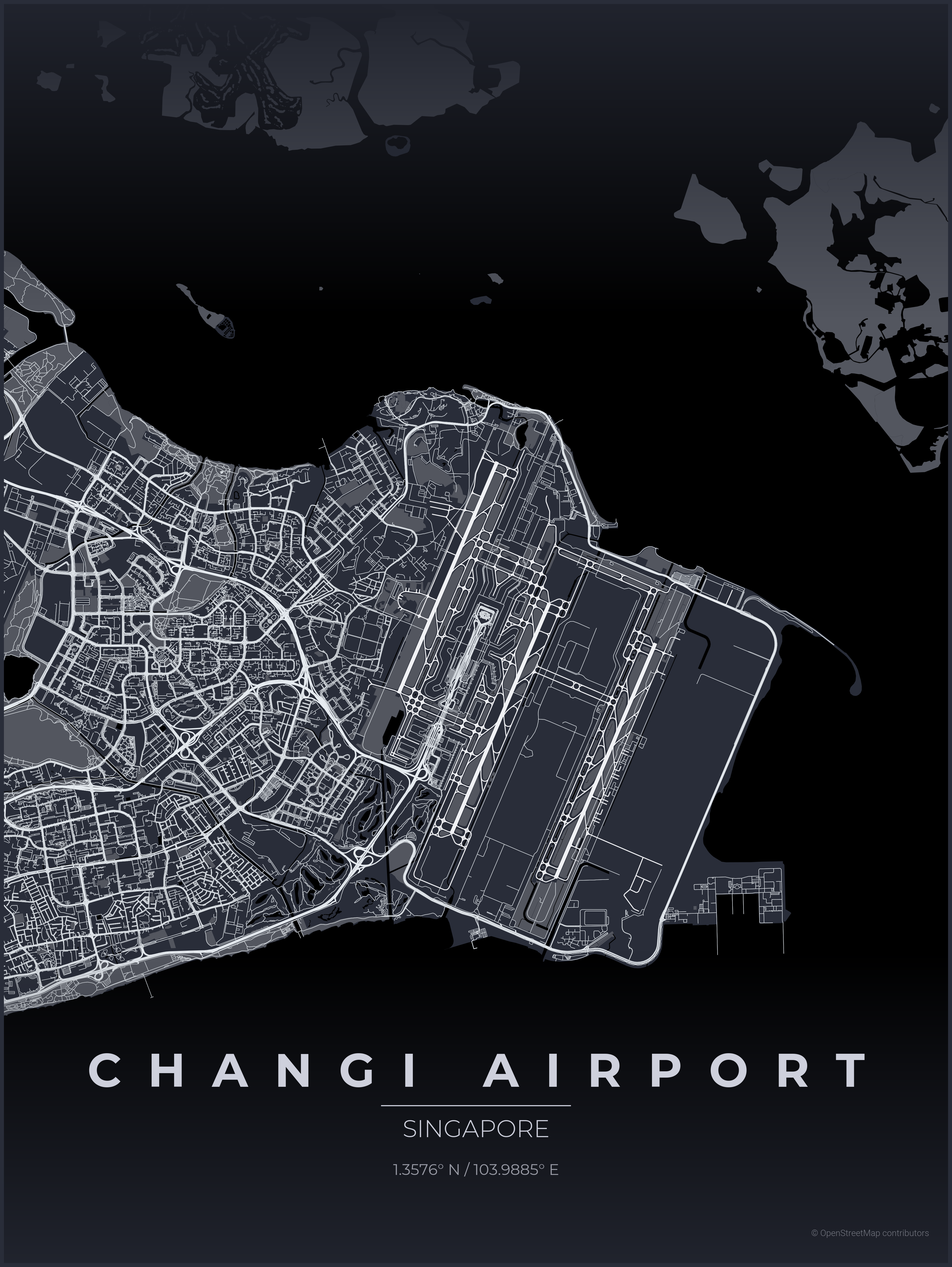
i do still have a problem with SEA, but it seems there is no object (seen with openstreetmap) on Singapore
stalkerGH commentedon Feb 13, 2026
Thanks for checking. Maybe my changes messed something up, even though they were minor.
stalkerGH commentedon Feb 13, 2026
So you have similar problem. Big black spot in the upper left quarter of the map is tagged as
natural=strait- and you have it defined in the create_map_poster.py Higher isnatural=watercombined withwater=river- so it looks normal. I suppose that coastline is messing up someway.Metaluca13 commentedon Feb 13, 2026
Coastline is not straightforward to use as it only gives the land-sea delimitation.
Fetching the sea/ocean polygons also sometimes won't work, as they usually are not fully contained within your map.
The best way I found to solve this issue globally (tried it for many places in the world) is to load the osm water polygon https://osmdata.openstreetmap.de/data/water-polygons.html" and build your own polygons when a coastline feature is detected in the region of interest (see my fork for implementation)
It is still good practice to fetch bay, strait,etc as the water polygons' geometry is less defined at places.
PasikVN commentedon Feb 13, 2026
I implemented the feature from [durankeeley](#159) and it solved the problem. I need to set it 'on' by default and deactivate thru the CLI if needed
stalkerGH commentedon Feb 14, 2026
I got it! The problem was an incorrect definition of z-order. In some places, what I defined as a park covered a layer of water. I found the solution in this commit: 398e911
m1sdemeanor commentedon Mar 3, 2026
I'm also having that issue with coastal renders. I've tried this to no avail durankeeley](#159)