
AX88179 Flash Utility for changing the onboard EEPROM's MAC address. The changes are persistent, even when plugged into a different device

Requires Python 3.6+, pyusb package, and any of these: libusb 0.1 / libusb 1.0 / OpenUSB
- Download and unarchive the repository into a folder
- Open
flash.py, change the value inNEW_MAC_ADDRESS = "1BADCAFEBABE"to a MAC address of your choice. - Run
pip install pyusb - Run
python flash.py. This will flash your device with the new MAC address. - At this point, your device should have been flashed successfully. The original EEPROM will be saved as
ax88179.bin
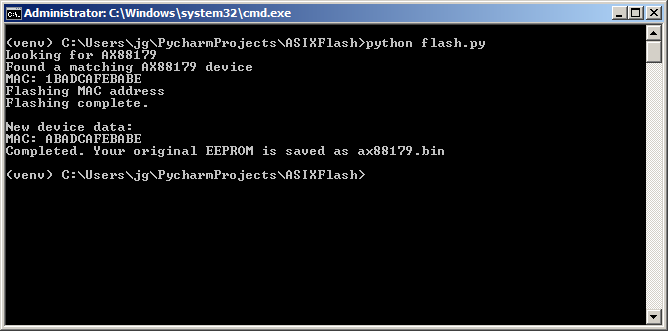
- Install LibUSB.
- On Windows, there isn't a clear installation process, though this installer for libusb-0.1 should work
- MacOS: via MacPorts,
sudo port install libusb - Linux:
sudo apt-get install libusb-1.0-0-dev
- Python 3.6+, with
pyusb - (Windows only) Change the loaded AX88179 driver to libusb
- Run Zadig
zadig-2.4.exe - Select Options -> List all devices (✓)
- In the dropdown list, select your AX88179 device
- Press the little arrow on the up-down control until you get an option with
libusb-win32 - Click the big button, usually
Replace Driver
- Run Zadig

MIT