
Community overlay repository for FoliCon.
Overlays define custom poster icon styles — mockup frames, rating badges, title text, and layer compositions. FoliCon's Overlay Store lets you browse and install overlays from this repository with one click.
Newest overlays first. 🆕 marks overlays added in the last 30 days. This table is auto-generated from catalog.json — do not edit it manually.
| Preview | Overlay | Author | Version | Tags |
|---|---|---|---|---|
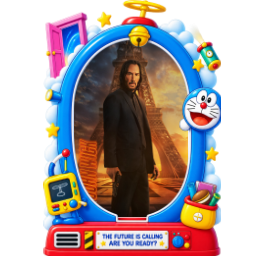 |
Doraemon Dream Pocket 🆕 | DineshSolanki | 1.0.0 | doraemon, pocket, custom |
📖 Read the full guide: Creating Overlays — everything you need to design, build, and submit an overlay.
Quick version:
- Fork this repository
- Copy an existing overlay folder (e.g.
overlays/example-dvd-case/) as a starting point - Edit
overlay.json— see the overlay schema for all fields - Edit
manifest.json— fill in metadata, list all assets, compute SHA256 hashes - Create a
preview.png(256x256 PNG) showing how the overlay looks - Submit a Pull Request
Before submitting, use your exact GitHub username as author in both JSON files and attach screenshots of the icon with and without the rating badge. Automated PR validation rejects ownership mismatches and obscene or NSFW text in overlay JSON.
- Image size: max 2MB per image
- Package size: max 5MB total per overlay
- Format: PNG only
- Schema: must pass
overlay-schema.jsonvalidation
Each overlay folder must contain a manifest.json with:
id— unique lowercase identifier with hyphens (matches folder name)displayName,author,descriptionoverlayVersion— semver stringassets— list of all files in the foldersha256— per-file SHA256 hashes (hex-encoded, 64 chars)previewImage— filename of the preview image
See manifest-schema.json for the full schema.
The catalog.json at the repository root is auto-generated by GitHub Actions on every push to main that changes files under overlays/. Do not edit it manually.
By contributing, you agree that your overlay will be distributed under the same license as FoliCon.