
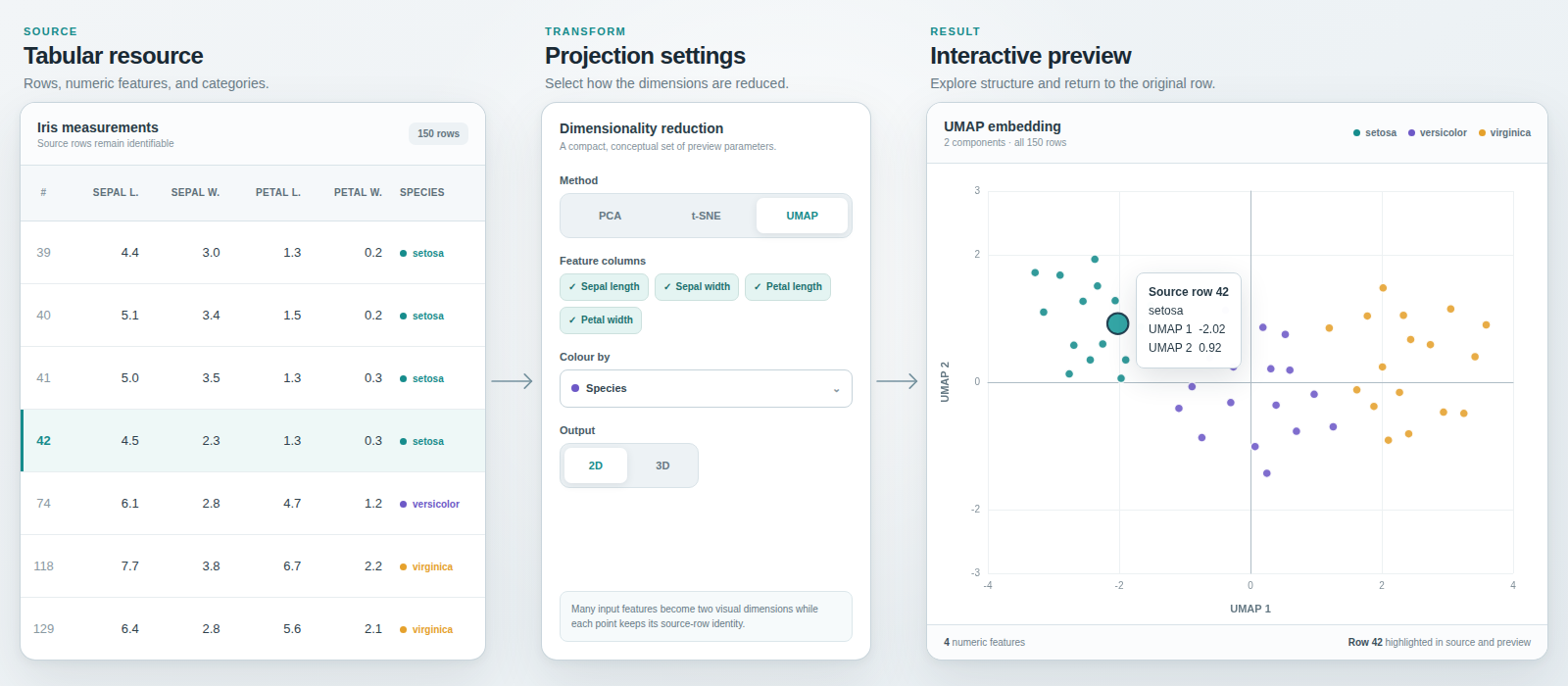
CKAN resource view for bounded dimensionality-reduction previews of tabular data. It supports PCA, t-SNE, and UMAP; interactive ECharts and static Matplotlib rendering; configurable feature, colour, and tooltip fields; CSV export; Redis caching; and CKAN RQ background jobs.
Read the documentation in this repository:
- Installation and compatibility
- Usage
- Configuration
- Operations and troubleshooting
- Workload budgets
- Changelog
Activate the CKAN virtual environment and install the extension:
git clone https://github.com/DataShades/ckanext-dimred.git
cd ckanext-dimred
pip install .
Enable the plugin in the final applicable CKAN configuration layer:
ckan.plugins = ... dimredRun a CKAN worker for uncached previews:
ckan -c /path/to/ckan.ini jobs worker dimredpip install -e '.[dev]'
pytest --ckan-ini=test_config/test.iniRun the local static checks after installing JavaScript dependencies:
npm ci
ruff check ckanext/dimred
python scripts/typecheck.py
npm run lint:js
Browser tests additionally require Chromium and three terminals:
playwright install --with-deps chromiumIn the first terminal, start CKAN:
ckan -c test_config/test.ini run -tIn the second terminal, start the DimRed worker:
ckan -c test_config/test.ini jobs worker dimredIn the third terminal, run Playwright:
pytest --ckan-ini=test_config/test.ini -m playwright --browser chromium \
  --base-url=http://127.0.0.1:5000 ckanext/dimred/tests/e2e
Build the documentation locally:
pip install -e '.[docs]'
mkdocs build --strict
Regenerate the changelog after installing the development dependencies:
make changelog