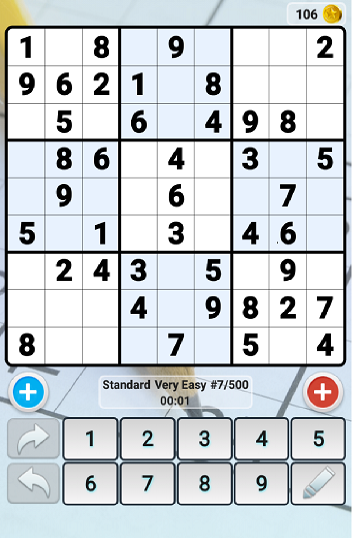
This is basically one of the most played games in the world. In today’s session, we will be demonstrating how to hack the game “Sudoku Free” which is easily available on Google Playstore. The game is pretty simple and requires nothing much except following the normal rules of Sudoku- a digit once entered shouldn’t be repeated in its corresponding row and column.
Playstore Link : https://play.google.com/store/apps/details?id=le.lenovo.sudoku&hl=en
Difficulty Level : Hard
The system’s perfect move is identified by using Image processing, the further move is calculated by the algorithm and is marked in the concerned box using ADB Tool. This continues as the algorithm tries to win the game in the best way possible. This game functions completely independently, i.e. it is not depend on any of the user’s input. The simulation will take place automatically and the game will be solved no matter what the level may be. NOTE: The world’s most difficult Sudoku has also been solved using this automated circuit.
- Computer with MATLAB, ADB Tool and required drivers set up.
- An Android Device with the Sudoku Free game installed on it. (Turn on the Developer options for better visualization)
- USB data transfer cable.

Here's the step-wise tutorial to automate the game. The source code is avaiable here.
The following command instantaneously takes the screenshot of the connected device and stores it in the SD card following the specified path.
system(' adb shell screencap -p /sdcard/screen.png ');
The following command pulls it from the SD card of the android device into the working system following the path specified.
system(' adb pull /sdcard/screen.png ');The pulled image is stored in the form of a matrix of pixel values by the MATLAB.
The following command is used to read the image from the screen onto MATLAB.
img = imread('screen.png') The ocr() function recognizes texts in images and is useful in many computer vision applications such as image search, document analysis, and robot navigation. It provides an easy way to add text recognition functionality to a wide range of applications.
ocr(a ,'TextLayout','Block')command is used to read each block of text as a character and simulate it as an independent source. The screen is divided into various pixels, following which the pixel value is noted and used to evaluate the matrix positions.
When the function solver() is uploaded using adb tools, the circuit produces a response in 0.615s and starts filling up the missing entries in the already existing Sudoku app.
There’s absolutely no need of human interference. The app gets hacked and produces a win in any case.