

Customize fonts directly in customizer.
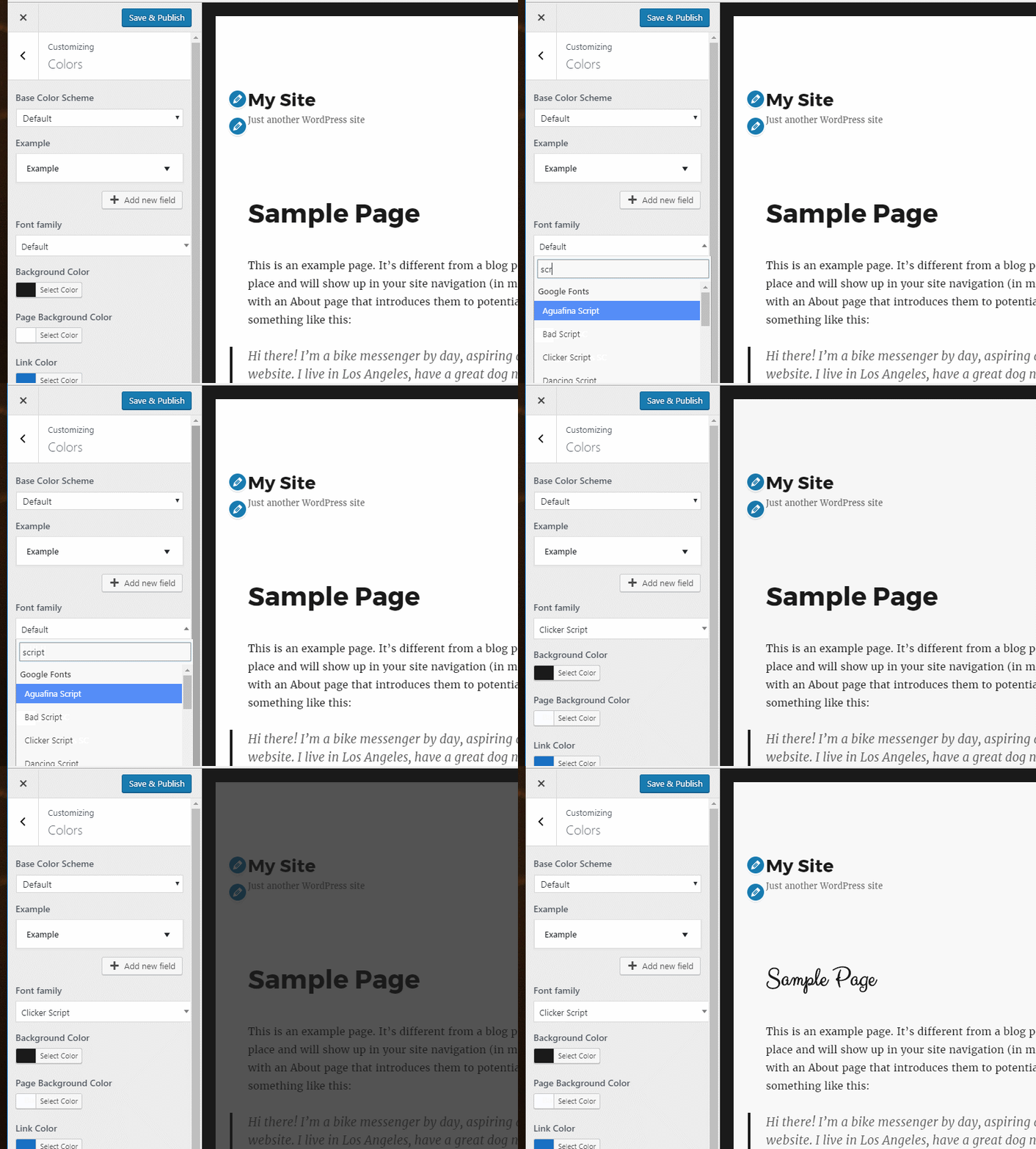
To install Customizer repeater copy the folder in the root of your theme and add the following code in functions.php or in customizer.php file.
 function load_customize_classes( $wp_customize ) {
     require get_template_directory() . '/customizer-font-selector/functions.php';
 }
 add_action( 'customize_register', 'load_customize_classes', 0 )
After you did this there's only one step left. Replace your-textdomain textdomain with yours.
That's all!
Here's an example of how to add this control, add the following code in your theme's customizer.php:
function xxx_customize_register( $wp_customize ) {
    if (class_exists( 'Font_Selector' ){
        $wp_customize->add_setting(
            'headings_font', array(
                'type'              => 'theme_mod',
                'sanitize_callback' => 'sanitize_text_field',
            )
        );

        $wp_customize->add_control(
            new Font_Selector(
                $wp_customize, 'headings_font', array(
                    'label'             => esc_html__( 'Font family', 'your-textdomain' ),
                    'section'           => 'your-section',
                    'priority'          => 5,
                    'type'              => 'select',
                )
            )
        );
    }
}
add_action( 'customize_register', 'xxx_customize_register' );
Here's an example of how to use this control. You can add the following function in functions.php
      function my_styles_method() {

      	$font = get_theme_mod( 'headings_font' );

      	//Enqueue font.
      	font_selector_enqueue_google_font($font);

      	$custom_css = '
                      .entry-title{
                              font-family: '.$font.';
                      }';
      	wp_add_inline_style( 'your-style-handle', $custom_css );
      }
      add_action( 'wp_enqueue_scripts', 'my_styles_method' );
By default, this control loads only 'latin' subset and '300', '400', '500', '700' font weights. To change this you can use font_subsets and font_weights
      /**
       * Filter subsets.
       */
      function my_subsets_filter( $subsets ) {

      	array_push( $subsets, 'greek');
      	array_push( $subsets, 'cyrillic');
      	return $subsets;
      }
      apply_filters( 'font_subsets', 'my_subsets_filter' );

      /**
       * Filter weights.
       */
      function my_weights_filter( $weights ) {

          array_push( $weights, '100');
          return $weights;
      }
      apply_filters( 'font_weights', 'my_weights_filter' );
You can make this better by contributing. If you find a bug or simply want to contribute to this collection, submit your pull request and we'll have a look on it.
How can you help?
- Submit a bug
- Fix reported bugs
- Share with us another cool control